Ahmedabad · Serving businesses across Gujarat
A complete billing setup. A smaller footprint.
Make the most of a food truck's service window. HETPOS helps food trucks, kiosks and pop-up counters in Ahmedabad and Gujarat choose compact POS or handheld billing equipment around their menu, power supply and available space.
Technology from established brands

POS & industrial PCs

Receipt & label printers

POS terminals

Barcode scanning

Counter hardware

Label printing

Barcode printers
Start with the workflow.
Then choose the equipment.
Keep the menu close
Set up frequently ordered items and options in compatible billing software. Think through how staff change quantities, handle takeaway and issue a clear customer bill.
Print where you serve
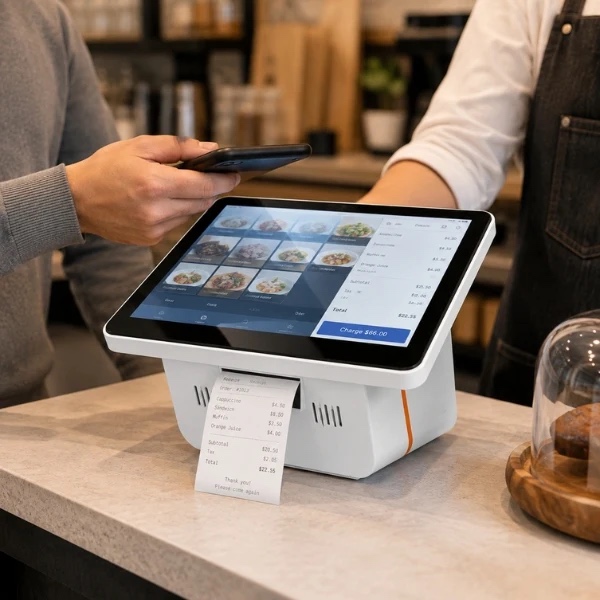
Choose an integrated printer or a separate receipt printer based on counter space and service volume. Confirm paper size, connection type and replacement consumables before opening.
Plan for movement
Check available power, battery requirements and connectivity at each location. Offline billing behaviour is determined by the selected software and must be verified for your workflow.
Close the day clearly
Use the software's sales and stock reports to review the day's service. Agree who changes the menu and how sales are consolidated when you operate more than one counter.
Chosen to work together.
Compare compact touch POS units, handheld terminals and portable or integrated thermal printers. HPRT and other printing options can be considered where their interfaces match the selected device and software. Exact models, battery capability and availability are confirmed during selection.
Explore our hardwareCompare the complete setup.
Compare a compact counter unit with a handheld using the whole service day as the reference. Include power accessories, paper, connectivity, software licences and any additional kitchen printing. Test the application's offline behaviour before relying on it at a temporary location.
Bring these details to the conversation.
- Counter measurements and staff taking orders
- Menu size, modifiers and separate preparation stations
- Power source, service duration and mobile connectivity
- Receipt format, stock tracking and day-end totals
Plan your setup
with our Ahmedabad team.
Share a photo or measurements of your service window, your menu size and where the truck usually operates. We will help plan the counter or handheld configuration and confirm installation and support arrangements for your Gujarat location.
201, Shaily Complex, Opp. Loha Bhavan, Near Old High Court, Income Tax, Navrangpura
Ahmedabad, Gujarat — 380009
Before you choose.
Can the POS work without an internet connection?
That depends on your billing software and which functions you need. We check offline order entry, receipt printing and later synchronisation rather than assuming every device supports them.
Is a handheld better than a counter POS?
A handheld suits mobile order taking and very limited space; a counter unit may be easier for a larger menu and continuous service. We compare both against your actual service pattern.
POS solutions in Ahmedabad
and across Gujarat.
From restaurant billing and supermarket checkout to barcode inventory and parking tickets, explore the setup that fits your operation. Our Navrangpura, Ahmedabad team helps plan equipment, software and installation for your Gujarat location.